AI for Solopreneur Systems: Two Projects That Actually Worked
I talk a lot about the wrong ways to use AI. But a rainy weekend gave me a few free hours and two pet projects that I used Claude Cowork for— and the results actually impressed me.
The first: I used Claude to vibe-code a custom Obsidian theme from scratch. No CSS, no digging through the inspector — just a few prompts and some back-and-forth until it looked exactly the way I wanted.
The second: a Claude skill that plans trips for me end-to-end — packing list, budget, Todoist project, calendar entries, the works. It’s now maybe my favorite thing I’ve ever built in Claude.
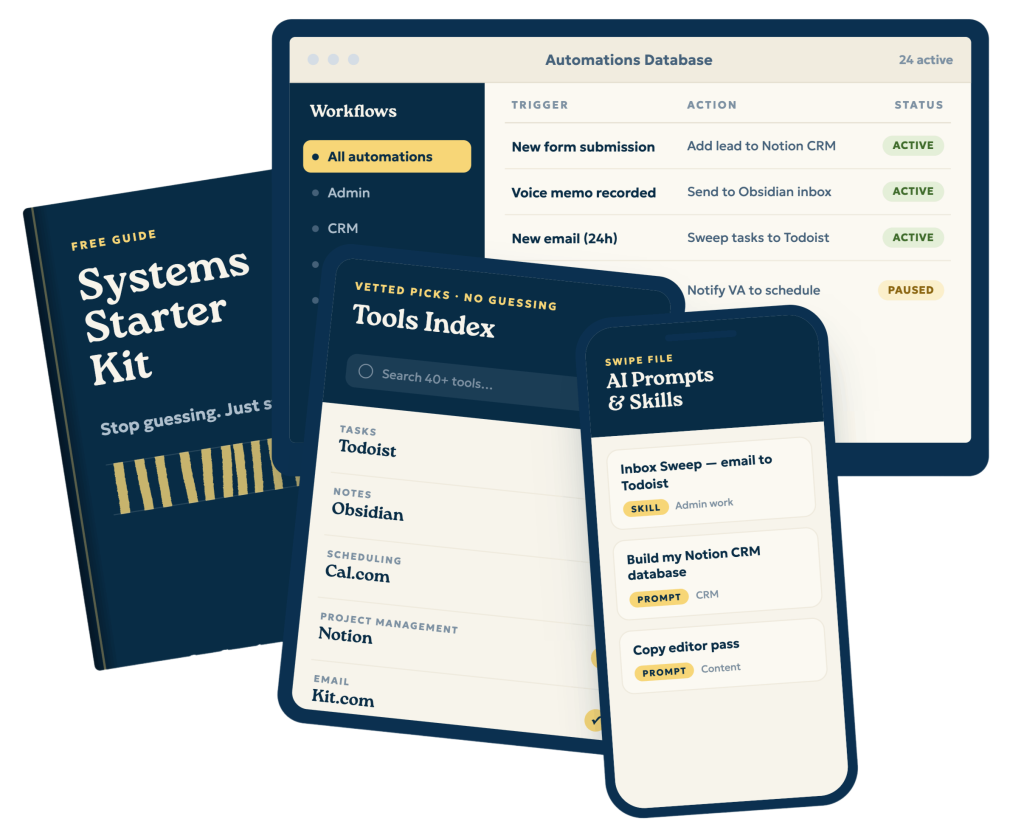
Does all of this sound interesting, but you’re not sure where to start with your systems? Grab the free Solopreneur Systems Starter Kit — including the trip planning skill from this episode — at streamlined.fm/kit
Links
- (00:00) – Intro
- (01:28) – What AI is actually good at (and what it’s not)
- (04:22) – Vibe-coding a custom Obsidian theme
- (11:00) – A Claude skill that plans trips end-to-end
- (17:42) – Wrap-up
————
Streamlined Solopreneur is the podcast for solopreneurs who want to automate their business and take time off worry-free. Each week, Joe Casabona shares practical systems, tools, and strategies to help you reclaim your time and run your business without sacrificing your the rest of your life, or your health.
Start with the free Solopreneur Sweep — a step-by-step method for finding where your business is losing time: https://streamlined.fm/sweep
If this episode helped you, leaving a review on Apple Podcasts helps other solopreneurs find the show — it only takes a minute and means a lot.
Connect with Joe on LinkedIn: https://www.linkedin.com/in/jcasabona/
Transcript
And so today I want to do a little bit of a different episode where I talk about two ways I recently used AI that have really impressed me. Now, as you're listening to this episode, I'm gonna get pretty deep into these systems, and you might be wondering, is there a simpler version? Is there a basic guide? And I have a new resource for you that's exactly that. It's called The Solopreneur's Systems Starter Kit. It has a few systems, I think every Solopreneur should have automations, tools, and even a few Claude skills. So again, that's over at streamlined.fm/kit, and you can grab that completely for free. Follow along with this episode or just get some ideas for running your business more smoothly.
Hey everybody, and welcome to another episode of Streamlined Solopreneur, the show that helps you automate your business so you can take time off worry-free. I'm your host, Joe Casabona, and here's the problem.
I think that people view AI as some sort of magic bullet. I don't have time to do this, and it can do this thing. And we never really evaluate if it does that thing well or if it just does that thing. Now, I have talked about this before. I've talked about how you should set a goal for a task, think about the outcome of that goal, and apply that to something that you use AI for.
So an example is, well, I have AI write my marketing pages for me. Okay, great. What is the goal of your marketing page? Is it to get people to buy your product? If the goal is to get people to buy your product and the AI-generated marketing page is not converting people to buy, then that is not a task you should be using AI for. Because now you're just using it to do the task, not do it well. It would be like if a baseball player had a zero batting average, right? They've had a bunch of plate appearances, and they've never hit the ball, and saying, well, I'm…but I'm going up there, and I'm swinging the bat. Okay? The goal is not to swing the bat. The goal is to put the ball in play. So that is the general test.
I do not use AI for any creative work. I don't let it touch my idea process. I don't let it touch my first drafts or my outlines. That is all coming from me because I want it to be 100% me. But what I have been using it for is computer things. AI is a computer program, and so it can do computer things well. And I had a somewhat free weekend. I had a few free hours one weekend, it was very rainy, and we decided that we were just going to make it a movie day. And so while we were watching too much TV, I was also doing a little, a couple of pet projects that I had in mind that I thought AI could be really useful for. And I want to talk about both of them in this episode. It's kind of a twist on the Pick two, right where I talk about two apps I've been enjoying. These are two projects that I feel I have successfully used AI for. And the first is a custom Obsidian theme.
Now, Obsidian is absolutely one of my, one of my favorite apps. It is my note-taking app. It's my personal knowledge management system. It's my second brain. It's where I write, it's where I plan things. I have all sorts of different stuff in Obsidian, and one of the reasons I was actually really hesitant to get into Obsidian was because I thought I would spend too much time trying to customize it. So, I kind of threw all of that away about a year and a half ago, maybe as I record this. And I decided, you know what, I'm moving from different note taking app to different note taking app. Maybe Obsidian really is right for me. And that has been largely true.
I have a lot of stuff in Obsidian. I love Obsidian. My weekly planning documents, my daily notes, my personal journal, all of my ideas make their way into Obsidian. I will include kind of a screenshot of what Obsidian looks like, or of course, you know, the video is available for these episodes on YouTube now, hopefully in Apple podcasts soon. So you can kind of see what it looks like. But on the left-hand side I have my inbox, projects, areas, research archive, and then I also have drafts and events.
Something that has still been in the back of my mind, something that has been nagging me a little bit, is it still doesn't look exactly the way I'd like it to look. I've tried a bunch of themes. I tried Nick Milo's soft paper approach, and that was really nice. I've tried the minimal theme and a couple of other ones that my friend Mike Schmitz recommended, and nothing really was perfect. So I thought that this would be a good opportunity for me to vibe code my own Obsidian theme, which, exactly, which is exactly what I did.
I basically told Claude, hey, I really like the look and feel and aesthetic of Dan Cedarholm's handcrafted CSS. When I was a Web Developer, this was like such a monumental book for me because it taught me a lot of really important things about the subtleties of design and what you could really accomplish with CSS. And so I said, is that enough to go on? Like, do you understand? And it whipped up what was a really good first theme. It picked some fonts I really liked, and it picked a really good color scheme.
Now, I iterated over it. There were some weird parts, different areas of the theme that didn't have very good contrast. Um, and you know, like, certain, like, spacing didn't really look right. But I was able to kind of tweak all of that. And then I, I specifically mentioned, like, hey, I really like the different color folders that you see in soft paper from Nick Milo. And so I said, I don't want the bold colors, I want them to fit the color theme. And it added those in, and it looks wonderful. There's a light theme and a dark theme. And the final thing I added was I just said like, can you add some texture to the background? Can you add some depth to the text? And it did a bang-up job. I'm really, really pleased with this theme. I guess, like, full disclosure here, I'm not going to support this. Like, this is mine. It's not like a piece of software I'm trying to put out there, but I will link to the Obsidian theme in the show notes and the description for this episode.
I also had to come up with different color scheme snippets because I was like, how will this look with my brand colors? How will it look as an Apple Notes clone? And again, just really impressive, really impressive stuff. I'm very pleased with the way this project turned out. I absolutely love the way it looks.
And because with Claude Cowork, I can give it direct access to an Obsidian base, I didn't need to move folders around or files around or anything like that. It just reached in and grabbed the themes folder and started putting stuff into the themes folder.
The thing that inspired me to do this was when David Sparks created his own theme that he released to his members. And I thought it looked really nice, but it was a little bit too complicated, or it positioned things in a way that I don't really use Obsidian for. But there was, um, one really good idea, and that is that he had like these little call-out boxes. And so I did have it come up with a custom call-out box for me. And I really love the way that looks. I think I could see myself adding a few more of these, depending on the context. I also wanted it to customize the Properties box and make it stand out a little bit more. And it did that as well.
And then the last thing it did was just customize the canvas a little bit. I have a bunch of different dashboards using the canvas function in Obsidian, and they look great, too. There were a few weird things that it did that I had to kind of like argue with it over, but overall, I didn't have to touch any code, I didn't have to write any CSS, I didn't have to dig in, you know, to the, the Inspector. I had to do it once because there was a weird bug. But, like, I got what is for me, a perfect Obsidian theme. And I didn't have to do much hunting and pecking. And it was a lot of fun kind of seeing it come together.
The other project is a Claude skill. And so in Obsidian, I have a folder called Trips, and each trip has its own file. And then I have a file in Canvas called Trips Dashboard that tells me everything that's coming up. And so the origin of this project was I have lots of discrete shortcuts that I use to plan a trip. And so I wanted to see if maybe this would be better off as a Claude skill. So I worked with Claude Cowork. I had it look over all of my shortcuts and then my Trips note template that I already had. And I had it come up with a way for it to generate a skill that will plan a trip for me and it will ask me what kind of trip it is, generate the packing list, generate the goals, create a schedule for when I need to do things like book, travel, book the hotel, anything I need to think about, day off, if I'm giving a talk, what I need to do there. And then they will also add it to my personal calendar and my family calendar so that my wife knows when I have a trip coming up as well.
And the reason I liked doing it here in Claude Cowork is because of all the MCP stuff it has. So it connects to Fantastical, it connects to Todoist, it can create things in Obsidian. And so really pleased with the way this worked out because it will do a few things for me. It will create all of this stuff. It will run my rules on how I plan trips and the information I like.
And then it will also generate a budget for me. Again, based on the questions I'm asking. And like, something I was worried about was, hey, are you going to like blow a bunch of tokens searching for stuff? Because, like, I don't want that. I don't like, I don't think that your budget is going to be that accurate that I think it's worth you going out to the Internet and searching every crevice for a super accurate budget.
And so what it basically does is it asks me if I already have a budget in mind or what I'm thinking, or it says like, or do you want me to look it up? And so I, you know, when I say look it up, it goes out. It'll go to like Google flights and get the current flight information, which again, depending on when I'm planning this trip, is not super accurate. But it gives me a starting point for me to then go in and adjust, and it'll do like, you know, per DM stuff and a bunch of other cool things. And so this is something I'm also really pleased with.
So if we look at the results for a trip I have coming up in September for an event I'm speaking at called Ops Ahoy, I'll share a screenshot of what I see in Obsidian. But when I look at the file, I can see the trip name, the start date, the end date, and the number of days the trip is. And the number of days is important because I do like some Math, like how many shirts do I need, how many pairs of pants do I need? Right? Like, like that sort of stuff that may not be like just a one-to-one thing, but like, if, you know, if we're going to a fancy, it might be like number of days plus one with like jeans. I am usually, I'll usually wear jeans for two days in a row. So I don't necessarily need that many pairs of pants, for example. It'll say the type of trip it is, the location, if I'm flying, if lodging is needed, and all that fun stuff.
And then it will also have a budget, a total field. And that's important because on my trips dashboard, I will also have a list of all the trips, the budget, and then the total budget. And then as I look through this document, I'll see a table with the budget and notes for me to adjust, estimated and actual hotel and flight information, a full checklist, and then a notes area for me to take notes during and after the trip.
And finally, it will create a project in Todoist with all of this stuff. So it'll have what I need to do during the trip, everything I need to do for planning, with due dates based on the day of the trip and the Math. So like 60 days before the trip, let's book the flight, 90 days before the trip, let's book the hotel, that sort of stuff, things to do after the trip, and then a packing list, which is all based on, you know, what kind of trip it is and what I want to bring on the trip with me.
I kid you not. This is maybe my favorite thing that I've done in Claude to date because it is something that has been a hodgepodge of different tools for me. It hasn't always been super accurate. And it is great that now I can just say I am taking this sort of trip on these dates. Let's create the planning document and it's going to be the same every time. It's very templated. I have it use an Obsidian template and fill it out, and it's getting input from me every step of the way. So this is again a computer doing computer things.
So those are the two things that I've used Claude for recently or AI for recently that I really liked. Creating a custom Obsidian theme. This is important to me because I'm in Obsidian a lot of the day. I'm writing in there, I'm planning in there. And so I think it should be something I enjoy looking at all the time because I'm looking at it all the time. So that was time well spent for me.
And then the trip's skill. I mean, I do a lot of traveling, and I'm speaking a lot this year. And so having that with all the budget stuff with the task list, putting it into Todoist, which is my task manager. Super important.
But that's it for this episode of the Streamlined Solopreneur. Thanks so much for listening.
Now, if you liked this episode, like I said earlier, you can get the Solopreneur system starter kit over at sreamlined.fm/kit. It will have some systems, I think every Solopreneur should have for their business tools to help support those systems, automations to make those systems run smoothly, and even a couple of Claude skills that I've put together including the one I mentioned in this episode. So again, you can find that over at streamlined.fm/kit.
Thanks so much for listening, and until next time. I hope you find some space in your week.