I bought a tiny game controller for automation [Friday Wrap-Up]
This week I talk about my latest Mac automation tool: the 8BitDo Micro, a $15 tiny game controller I picked up during Prime Week and mapped to complex key combos and Raycast actions — and why these little tactile hardware automations are easier on your brain than memorizing keyboard shortcuts. Then a MacStories write-up that inspired the whole experiment, walking through real use cases for turning a game controller into a Mac input device. And a recommendation for New Rockstars’ House of the Dragon Season 3 premiere breakdown on YouTube.
Links:
- Configured Stream Deck
- Ecamm (aff)
- 8BitDo micro (aff)
- My Latest Mac Automation Tool is a Tiny Game Controller (MacStories)
- House of the Dragon S3 Premiere Breakdown — New Rockstars
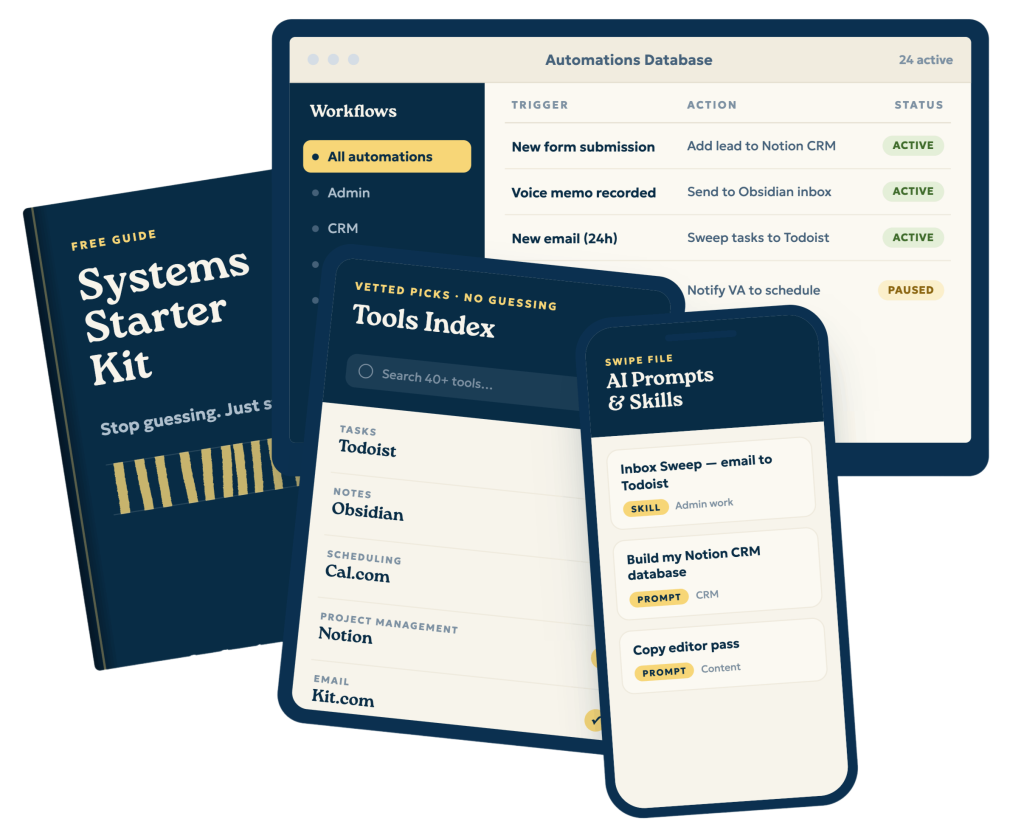
If you enjoyed this, consider joining my newsletter/ You’ll get an additional Automation of the Week, as well as regular emails on how to approach building systems that help you take time off, worry-free. You will also get the 4 systems every solopreneur or small business owner should have.
Sign up at https://streamlined.fm/kit
- (00:00) – Introduction and Stream Deck Integration
- (02:05) – Hardware Automation: The 8BitDo Micro
- (06:25) – Recommended Reading: MacStories Tiny Game Controller Review
- (08:04) – Recommended Media: House of the Dragon Analysis
- (11:07) – Solopreneur System Starter Kit & Outro
————
Streamlined Solopreneur is the podcast for solopreneurs who want to automate their business and take time off worry-free. Each week, Joe Casabona shares practical systems, tools, and strategies to help you reclaim your time and run your business without sacrificing your the rest of your life, or your health.
Start with the free Solopreneur Sweep — a step-by-step method for finding where your business is losing time: https://streamlined.fm/sweep
If this episode helped you, leaving a review on Apple Podcasts helps other solopreneurs find the show — it only takes a minute and means a lot.
Connect with Joe on LinkedIn: https://www.linkedin.com/in/jcasabona/
Transcript
00:00:00,60 –> 00:00:04,440
Hey everybody, and welcome to the Friday wrap on the Streamline Solopreneur, a short
2
00:00:04,440 –> 00:00:08,880
episode where I talk about three things, what's on my mind this week, recommended
3
00:00:08,880 –> 00:00:14,00
reading and recommended Media. This is the show that helps you automate your business
4
00:00:14,00 –> 00:00:18,600
so you can take time off, worry a free, and hopefully this curation will help you
5
00:00:18,800 –> 00:00:24,00
think more about your systems. I'm your host, Joe Casabona, and here's what's on
6
00:00:24,00 –> 00:00:27,260
my mind. For June 26th, 2026,
7
00:00:27,260 –> 00:00:35,420
this week I had a four hour workshop. It was two hours over two days each or two
8
00:00:35,570 –> 00:00:42,200
hours each, over two days with Ecamm, and it was a blast. Something I covered a bunch
9
00:00:42,200 –> 00:00:47,730
was my stream decks, and I actually do a case study of this very show, the Friday
10
00:00:47,730 –> 00:00:54,590
wrap up, and how crucial EEC a m and the stream decks are to my workday. And with
11
00:00:54,590 –> 00:00:55,730
the stream decks,
12
00:00:56,360 –> 00:01:04,560
it's not just about Ecamm, it's everyday use. I have a ton of keyboard shortcuts.
13
00:01:04,560 –> 00:01:10,10
There are too many to keep track of. So the stream decks that I have, I've got two
14
00:01:10,460 –> 00:01:17,720
are fantastic for this, and now they have Raycast integration. So it's even more
15
00:01:17,750 –> 00:01:24,680
powerful for me. In fact, the Raycast integration specifically is so crucial because
16
00:01:25,40 –> 00:01:30,590
Raycast has really eliminated a lot of other tools I use like Carabiner Elements
17
00:01:30,590 –> 00:01:34,670
and Keyboard Maestro and Text Expander. And so the fact that I can
18
00:01:35,450 –> 00:01:41,280
integrate Raycast with the Stream deck means I can actually integrate a lot of productivity
19
00:01:41,280 –> 00:01:48,230
tools and shortcuts into the stream deck. But that's really a topic for another day,
20
00:01:48,230 –> 00:01:52,560
right? Maybe it's something I will cover in a future Automation of the week, which
21
00:01:52,560 –> 00:01:56,480
is an exclusive for newsletter subscribers. You can get that over at streamlined
22
00:01:56,780 –> 00:01:57,980
fm slash wrap,
23
00:01:58,530 –> 00:02:04,700
but today I actually want to talk about the hardware side of it, not the software
24
00:02:05,40 –> 00:02:11,150
prime week. I refuse to call it Prime Day when it's the better part of a week is
25
00:02:11,150 –> 00:02:17,300
wrapping up as I record this and I finally gave in on Thursday, there were a bunch
26
00:02:17,300 –> 00:02:21,740
of deals including noise canceling headphones and these new like Holly
27
00:02:23,180 –> 00:02:25,700
lapel mics that I've been interested in. But
28
00:02:26,480 –> 00:02:35,300
one of the purchases I made was the eight bit Do Micro. It is a tiny game controller
29
00:02:35,330 –> 00:02:42,680
designed for the Nintendo Switch and Android, but it can also work as a tiny keyboard
30
00:02:42,680 –> 00:02:49,350
with software that maps keys, key combinations to the device.
31
00:02:50,40 –> 00:02:54,150
And, uh, in recommended reading, I will talk more about that exact thing,
32
00:02:54,840 –> 00:03:01,200
but for Prime Week it was $15 and so I thought it was worth trying. Worst case scenario,
33
00:03:01,200 –> 00:03:07,590
I have a third controller for our seldom used Nintendo Switch. So I have something
34
00:03:07,590 –> 00:03:10,260
for when my kids are old enough to play Mario Kart.
35
00:03:11,190 –> 00:03:18,150
The software is clunky, but I was able to map complicated keyboard shortcuts. Sadly
36
00:03:18,150 –> 00:03:24,600
not the hyper key, which for me is, uh, command option control shift. And that's
37
00:03:24,600 –> 00:03:27,570
mapped to my caps lock key thanks to Raycast,
38
00:03:28,110 –> 00:03:28,650
but
39
00:03:29,640 –> 00:03:35,880
good combinations of keys nonetheless. And I can map those keyboard combinations
40
00:03:35,880 –> 00:03:43,770
or key combinations to the buttons on the little controller. The eight bit do micro.
41
00:03:44,670 –> 00:03:48,630
I also remapped the dpad. Uh, so if you are
42
00:03:49,170 –> 00:03:49,980
listening,
43
00:03:50,520 –> 00:03:52,830
uh, it is a, it's so small.
44
00:03:52,890 –> 00:03:58,140
it fits fully in the palm of my hand and, uh, it's got a directional pad and then
45
00:03:58,140 –> 00:04:06,250
the XABY keys on it as well as the, uh, top corner keys like the l and r and
46
00:04:06,250 –> 00:04:10,560
RL two and R two buttons. So there's like 16 Mapable keys on this.
47
00:04:11,70 –> 00:04:11,520
Um,
48
00:04:12,30 –> 00:04:16,870
and I remapped the dpad because I'm actually going to hold it vertically most of
49
00:04:16,870 –> 00:04:20,920
the time. Like it's a, like, it's a clicker for speaking or something like that,
50
00:04:20,920 –> 00:04:22,180
or, or a TV remote.
51
00:04:22,870 –> 00:04:26,430
Um, it is, by the way, it is smaller than the Apple TV remote.
52
00:04:26,460 –> 00:04:32,360
the reason I'm talking about this today is I like the idea of experimenting with
53
00:04:32,600 –> 00:04:39,260
a little hardware automations like this, it's more tactile than key combinations,
54
00:04:39,650 –> 00:04:45,20
uh, or keyboard shortcuts. It doesn't require as much mental energy to remember what
55
00:04:45,20 –> 00:04:47,210
was that combination, especially
56
00:04:47,750 –> 00:04:53,120
when they get complicated like mind do. And the hyper key helps with that. The stream
57
00:04:53,120 –> 00:04:55,310
deck is especially good for this
58
00:04:55,910 –> 00:05:01,220
because it has visual cues, right? It has icons. And so I can look at the stream
59
00:05:01,220 –> 00:05:01,640
deck
60
00:05:02,600 –> 00:05:08,180
and know the automation I am going to run or the shortcut I'm going to run. Uh, so
61
00:05:08,180 –> 00:05:14,180
it's not quite as good as the stream deck, but it is about a third of the cost, uh,
62
00:05:14,180 –> 00:05:21,30
of the smallest stream deck, which is the stream deck Neo, and it, uh, has lots of,
63
00:05:21,120 –> 00:05:22,860
uh, programmable buttons on it.
64
00:05:23,490 –> 00:05:28,470
And so with this, I've, I have a couple of use cases for it, you know, I'll use it
65
00:05:28,470 –> 00:05:33,720
for raycast notes, uh, and doing stuff in obsidian. So, you know,
66
00:05:34,260 –> 00:05:37,320
bopping around apps I use really regularly.
67
00:05:37,920 –> 00:05:44,820
Um, I, I also have a little while I get used to this, I have a little card, uh, that
68
00:05:44,820 –> 00:05:49,140
I've written the, the mappings to. I don't know how long this is going to last, but,
69
00:05:49,860 –> 00:05:53,520
uh, I have it there just as I get used to it. 'cause this is, this is like day one.
70
00:05:53,550 –> 00:05:54,00
So,
71
00:05:54,600 –> 00:06:01,320
uh, the eight bit do micro, I will have a link in the description. I'm pretty excited
72
00:06:01,320 –> 00:06:05,640
for this. It's, it's really small, super portable, and it, it's also something that
73
00:06:05,640 –> 00:06:09,390
I can bring with me when I travel. Uh, I like to travel light
74
00:06:09,960 –> 00:06:14,100
and so I'm not bringing a stream deck with me. And, uh, this thing is, is wireless
75
00:06:14,100 –> 00:06:14,610
and I can
76
00:06:15,240 –> 00:06:18,210
probably do some different mappings on my laptop.
77
00:06:18,720 –> 00:06:22,170
Uh, it also, you can map it to the iPhone and the iPad as well. So
78
00:06:22,920 –> 00:06:24,270
really excited for this.
79
00:06:25,110 –> 00:06:31,650
Uh, now recommended reading is related to this. Uh, it is from Mac Stories. It's
80
00:06:31,650 –> 00:06:36,330
called my latest Mac automation tool as a tiny game controller. Uh, it,
81
00:06:37,20 –> 00:06:42,840
this is the article that inspired me to buy the eight bit do Micro John Voorhees
82
00:06:42,840 –> 00:06:46,410
has a writeup. It's fantastic and it covers
83
00:06:46,920 –> 00:06:51,780
several interesting use cases and that's what ultimately convinced me to at least
84
00:06:51,780 –> 00:06:56,940
try it again, like for 15 bucks. It was definitely worth trying it. Uh, so right
85
00:06:56,940 –> 00:07:01,980
now I am working with a first idea, best idea, the things that I wanted to map to
86
00:07:01,980 –> 00:07:06,120
it. Uh, but as John points out in his piece, there are profiles
87
00:07:06,690 –> 00:07:14,190
and the micro is also small enough to use invisibly on camera. So maybe I can map
88
00:07:14,190 –> 00:07:15,780
the directional pads
89
00:07:16,350 –> 00:07:16,830
to
90
00:07:18,180 –> 00:07:24,510
the, the stream deck or E cam and I can move through these scenes that if you're
91
00:07:24,510 –> 00:07:28,680
watching the YouTube video, you see the text changing on screen, maybe I can move
92
00:07:28,830 –> 00:07:35,400
through those with the micro instead of having to reach slightly or make sure that
93
00:07:35,400 –> 00:07:41,250
my stream deck is very close so that I can turn the knob without having to move off
94
00:07:41,250 –> 00:07:43,110
frame or making it obvious. So,
95
00:07:43,650 –> 00:07:43,980
uh,
96
00:07:45,420 –> 00:07:48,840
that article just gave me a lot more idea. So if this is something you're interested
97
00:07:48,840 –> 00:07:53,460
in, uh, I think Prime Day is happening for at least Prime Week is happening for at
98
00:07:53,460 –> 00:07:58,620
least a few more hours, um, as this episode comes out. And so might be worth checking
99
00:07:58,620 –> 00:08:03,810
out even off deal. I think it's less than 25 bucks, so totally worth it.
100
00:08:04,710 –> 00:08:08,700
Alright, and the last thing, recommended Media
101
00:08:09,300 –> 00:08:13,870
House of the Dragon. Season three, premier breakdown by New Rock stars.
102
00:08:14,920 –> 00:08:15,760
I promise
103
00:08:16,480 –> 00:08:21,430
I won't make House of the Dragon the focus of recommended media for the next two
104
00:08:21,430 –> 00:08:21,940
months.
105
00:08:23,50 –> 00:08:24,730
But after the season premiere
106
00:08:25,870 –> 00:08:32,470
and really after every episode, there are two YouTube channels I go to for more context
107
00:08:32,470 –> 00:08:34,330
analysis and clarification.
108
00:08:34,930 –> 00:08:41,950
One is Alt Shift X, which is an incredible resource for all things Game of Thrones.
109
00:08:42,40 –> 00:08:47,410
Uh, it's so good. He did a breakdown, I think of every Game of Thrones episode, uh,
110
00:08:47,410 –> 00:08:53,800
as well as books and lore and, uh, a Night of the Seven Kingdoms. He also covered
111
00:08:54,250 –> 00:08:56,770
really, really good stuff. The guy
112
00:08:57,280 –> 00:09:00,490
deeply understands the world of Game of Thrones,
113
00:09:01,120 –> 00:09:08,80
and while he does near three hour long live streams after each episode, I think he's
114
00:09:08,770 –> 00:09:11,620
located in Australia. Uh, and so
115
00:09:12,130 –> 00:09:16,360
it is morning for him, uh, when the episode is is finished.
116
00:09:16,990 –> 00:09:17,410
Um,
117
00:09:17,980 –> 00:09:22,780
he's not doing his normal explainer videos this season, which is a bummer, but he
118
00:09:22,780 –> 00:09:26,470
has some other things he's working on. I totally understand. I can tell how much
119
00:09:26,470 –> 00:09:28,330
effort goes into those videos
120
00:09:29,200 –> 00:09:32,230
and when he is doing the three hour live stream and has other stuff, like I, I totally
121
00:09:32,230 –> 00:09:35,740
get it super good, which is why I want to recommend
122
00:09:36,250 –> 00:09:37,630
this other channel today.
123
00:09:38,500 –> 00:09:44,140
Uh, it's new rock stars if you are into Marvel or Star Wars or any of those extended
124
00:09:44,140 –> 00:09:44,950
like, um,
125
00:09:45,520 –> 00:09:51,910
universes of fiction and movies. Uh, they do a really good job of these sort of breakdowns.
126
00:09:51,910 –> 00:09:56,20
And while I think, you know, their headlines or or their titles are clickbaity, they
127
00:09:56,20 –> 00:10:01,360
kind of have to be, that's how the YouTube algorithm works. Uh, and so a new rock
128
00:10:01,360 –> 00:10:04,930
stars, they do a reaction video the night of,
129
00:10:05,530 –> 00:10:09,340
but then less than 24 hours later, they published their breakdown, which is super
130
00:10:09,340 –> 00:10:09,880
impressive.
131
00:10:10,450 –> 00:10:18,520
Eric Voss and presumably his team, uh, does an amazing job at pointing out very missable
132
00:10:18,880 –> 00:10:24,70
details. And so this is Eric Al. Eric Voss also knows The Game of Thrones universe.
133
00:10:24,70 –> 00:10:27,840
I think that's how he launched the show, was talking about game of, or the, the,
134
00:10:28,120 –> 00:10:28,720
the channel,
135
00:10:29,260 –> 00:10:30,610
uh, was talking about Game of Thrones.
136
00:10:31,540 –> 00:10:37,120
And so, uh, I really like his breakdowns. I especially like when he points out, um,
137
00:10:38,320 –> 00:10:43,660
changes in the music or Easter eggs in the music. Uh, he has an ear for music, I
138
00:10:43,660 –> 00:10:47,320
think he studied it. And so it's always cool getting that perspective. That's not
139
00:10:47,320 –> 00:10:51,790
something, you know, you get like deep lore with alt shift X, um, and then you get
140
00:10:51,790 –> 00:10:59,170
some of the more cinematography and music and, and score stuff, as well as the lore
141
00:10:59,590 –> 00:11:03,340
with new rock stars. So I, I really like that. I recommend it if you are watching
142
00:11:03,340 –> 00:11:06,670
House of the Dragon or Game of Thrones. Both of those channels are, are really good.
143
00:11:07,900 –> 00:11:13,910
Okay, so wrapping up, uh, I did want to tell you that something I've been working
144
00:11:13,910 –> 00:11:14,990
on for like a month
145
00:11:15,860 –> 00:11:19,670
is, uh, the solopreneur system starter kit.
146
00:11:20,570 –> 00:11:25,490
It's a lead magnet that I thought would be super cheap or super short, super easy
147
00:11:25,490 –> 00:11:30,230
to make, and it ended up being over 9,000 words. And it goes really deep. I cover
148
00:11:30,230 –> 00:11:36,380
four systems. Every solopreneur or small business owner should have admin work, CRM,
149
00:11:36,380 –> 00:11:42,620
and client onboarding, content creation and ideas, uh, like idea capture,
150
00:11:43,130 –> 00:11:49,10
uh, and, and, and verification. So that is completely free. It also has all of the
151
00:11:49,10 –> 00:11:54,290
tools I use as well as an AI and automation swipe file. It is
152
00:11:54,950 –> 00:11:59,420
easily my most valuable, uh, lead magnet to date,
153
00:12:00,20 –> 00:12:05,690
uh, or resource, I guess, uh, my most valuable resource to date. You can get it completely
154
00:12:05,690 –> 00:12:09,350
for free at streamlined fm slash kit.
155
00:12:09,920 –> 00:12:13,280
That's streamlined fm slash kit.
156
00:12:14,270 –> 00:12:20,00
Uh, so if you did enjoy this episode, you can join the newsletter. Uh, going to streamlined
157
00:12:20,330 –> 00:12:25,520
fm slash kit will also get you on the newsletter, so you'll get the additional automation
158
00:12:25,520 –> 00:12:26,120
of the week,
159
00:12:26,720 –> 00:12:31,760
as well as regular emails on how to approach building systems to help you take time
160
00:12:31,760 –> 00:12:33,200
off, worry free.
161
00:12:33,740 –> 00:12:39,320
Thanks so much for listening, and until next time, I hope you find some space in
162
00:12:39,320 –> 00:12:40,160
your weekend.