How I Produce a Week of Content in 90 Minutes
I was at a retreat with my mastermind group. We were going over our big takeaways, and my friend Cat reminded me of something: I output more content than most people. Her point was that when someone sees you doing what looks like a lot, it can feel completely unreachable, so they shut off to your message entirely.
So today, I want to pull back the curtain. I put out two podcast episodes a week, two YouTube videos, a newsletter, a blog post, and three LinkedIn posts — and I promise it’s not as time-consuming as it sounds. I’m just spending my time the right way, because I have a good system.
Specifically, I walk through exactly how I produce my Friday Wrap-Up — a newsletter, a podcast, and a video — every single week in 90 minutes or less. I cover how I gather ideas all week with Obsidian and Capture, why I write the newsletter first so it doubles as my script, how Ecamm and a Stream Deck cut my post-production to almost nothing, and how I use Gling and a custom Claude skill for light editing and show notes. One idea becomes three to five pieces of content.
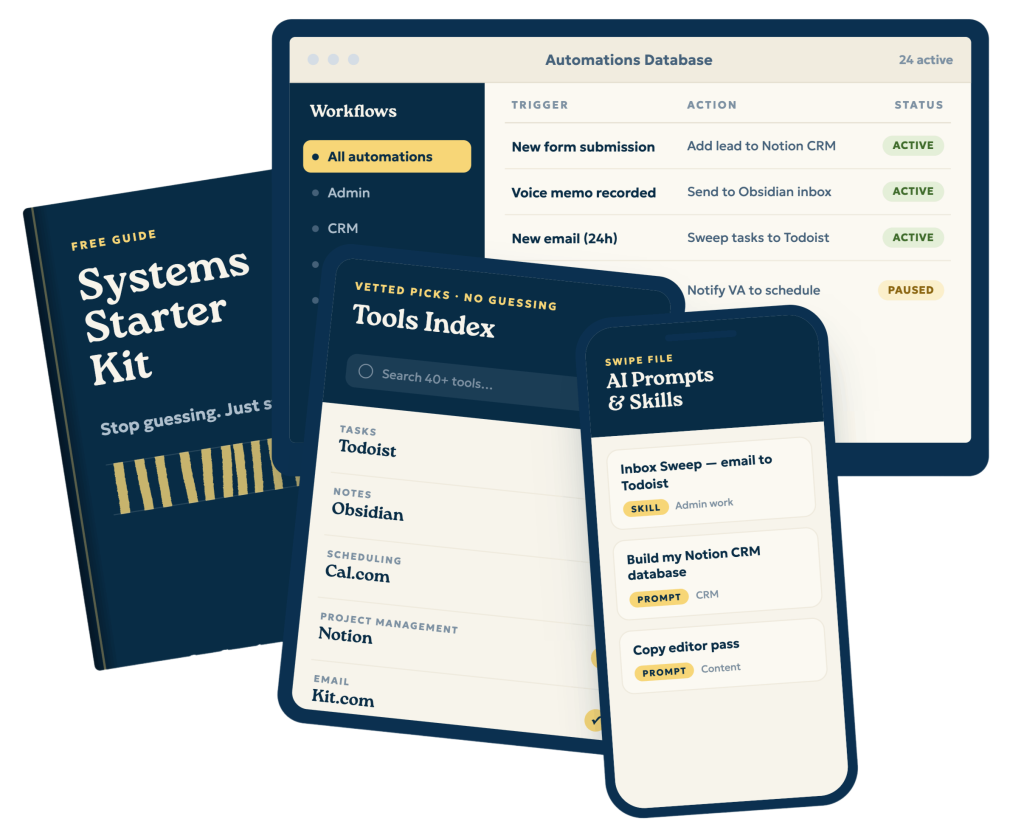
Want my full content creation system, tools, and automations? Get the free Solopreneur System Starter Kit at https://streamlined.fm/kit.
Links
- (00:00) – Intro
- (04:29) – My 90-Minute Production Workflow
- (05:57) – Efficient Idea Gathering
- (07:14) – Structured Newsletter Writing
- (08:11) – Recording with Ecamm Live
- (12:04) – Why Writing Ensures Authenticity
————
Streamlined Solopreneur helps solopreneurs automate their business so they can take time off worry-free. Each week, Joe Casabona shares practical systems, tools, and strategies to help you reclaim your time and run your business without sacrificing your the rest of your life, or your health.
If you’re looking to get started, you can download the Solopreneur Systems Starter Kit. It’s 4 systems every solopreneur should have, the simplest way to get started, along with the exact tools, automations, and AI prompts you need. No guessing here. Get it for free at https://streamlined.fm/kit
Connect with Joe on LinkedIn: https://www.linkedin.com/in/jcasabona/
Transcript
And that's what I want to talk about today, because I do put out a lot of content. I put out two podcast episodes a week, two YouTube videos a week, a newsletter, a blog post, three LinkedIn posts, and a partridge and a pear tree. But I promise you that it's really not as time-consuming as it sounds. I'm just spending my time the right way because I have a good system. And that's what we're going to talk about today.
But before we get into that, I do want to let you know, if you want to look at the four systems that every Solopreneur should have to spend their time wisely, you should head over to streamlined.fm/kit. It gives you the four systems every Solopreneur needs, the simplest version of the system for you to implement today, as well as all of the tools, automations, and AI swipe files you need so you don't have to go looking for anything. The one that I've been covering the most lately is the Content Creation System. I'm going to talk really deeply about that today. But you can get all four. It's admin work, content creation, CRM, and idea generation over at streamlined.fm/kit. But now let's get into the episode.
Hey everybody, and welcome to another episode of the Streamlined Solopreneur, the show that helps you automate your business so you can take time off worry-free. I'm your host, Joe Casabona, and here's the problem. Producing a weekly show is time-consuming, let alone also making it a newsletter, a podcast, and a video.
So how do you, as a Solopreneur, someone with such limited time, have the kind of output you might feel you need to get more clients? And I'm going to just tell you the truth now. Like most content is great top of funnel to get people onto your list or get them to trust you, but you still have to do the sales side of things. You can't just produce a bunch of content and then expect a bunch of client work to be coming in.
If your business is creating content, that's one thing. But that's not who I'm talking to. Because if you can spend your whole day creating content, then that is your business. And that's going to be a different system, that's going to be a different approach. You're probably going to need to look for sponsors or figure out other ways to monetize. And there are other complexities. But if you're a solopreneur, you're probably doing some client work, or you're selling some sort of product, and your content helps you cast a wider net. It gets people to know, like, and trust you.
And ultimately, the reason that I do this weekly show, which I haven't named yet, but it's the Friday Wrap Up. If you've been listening to this show for a while or you're subscribed to my newsletter, you'll know it because you've been getting it every Friday for a few months now.
The reason I do that is because, well, I want to experiment with doing a show that I'm not batching, right? Like these episodes, I'm all in, I'm recording four to five episodes at a time, usually on the same day. So I'm not talking about things that just happened on these Tuesday episodes because they could be 4, 5, 6 weeks old by the time you're hearing them. So I wanted something more timely where I could talk about the things of the week that might be affecting solopreneurs. But I also wanted to offer something a little fun going into the weekend to remind you, hey, life isn't just about work. It's about having hobbies. It's about having a life, right? If you just wanted to work all the time, you could go work for some big tech company, where you work all the time, and at least you have a guaranteed salary. But that's not why we started our businesses, right? And we know that creating content is an important part of our business because it helps people know, like, and trust us. But it feels very time-consuming.
So today, I want to tell you exactly how I produce the Friday Wrap Up. And I do it every week in 90 minutes or less. It is a combination of having a good system, the right process, and the right tools. So let's dive into it.
Let's go through the entire process. And it all starts with my system, which, like I said at the beginning of the show, head over to streamlined.fm/kit to get this whole process or this whole system as well. As three other systems every solopreneur needs. So I'll give you a quick overview of my whole system or my whole process, and then I'll kind of dig into each one a little bit.
First, I gather ideas with Obsidian and an app called Capture. I'll tell you exactly why I use Capture in a minute. I write the newsletter that is in Obsidian, and I use a template to keep me honest to make sure I'm following the same exact format. Every week, I record everything with Ecamm, which makes the recording part as easy as possible. If I need to do any editing, I usually don't because I wrote the newsletter first, which serves as a script. But if I need to do any editing, I use Gling AI. It's a really easy transcript-based editing tool. I use Claude for very specific show notes, proofreading, and preparing for kit.com, my newsletter.
I will then upload it to Transistor, which sends it everywhere, including YouTube. I will pick a screenshot for the thumbnail, and then I'll send it to my mailing list. All of this happens in 90 minutes or less because of my idea capture, pre-work format, and the right tools.
So, idea gathering, this is something that takes all week, right? I'm so the three segments of the show are what's on my mind, recommended content that's usually an article I read, and recommended media, which is probably a YouTube video, or it could be a TV show or new music.
One of those things that I'm recommending. So the recommended content and media I'm capturing things into the app Capture. So when I come across a link I'm interested in or a video or something that I'm interested in, I will save it here to capture, and then I will go through and pick the one that I want to talk about that week. Same thing for On My Mind.
If I'm thinking about something, a lot of my voice notes go into Obsidian, but the stuff specific for the Friday wrap-up will also go into On My Mind, and I will choose the one that I'm really thinking about this week. So if I have multiple ideas, I'll just pick the one that seems best to me. But that is really the process for capturing ideas, and this is what really shortens the process for me because I'm not starting with a blank slate on Friday morning. I'm not starting with, " Oh well, what is on my mind or what am I going to recommend?? I already have those three things, and then it just is a matter of writing it out, so that is the next step.
I have a template in Obsidian where I have those three headlines, and then I just kind of fill it in in my mind. Should be three to 400, maybe 500 words. Probably 400 words though. And because it's less structured, it's just something I'm thinking about.
It may not even be a fully baked thought. It's just something that I was thinking about this week. And then recommended content and recommended media are just why I like it, why I'm recommending it. Oh, the new Olivia Rodrigo album is amazing. It's got that real like 80s feel. Lots of callbacks to the Cure, right? So it's really easy for me to write that because it is again, less structured than my normal newsletter. I am curating stuff instead of coming up with new ideas or repurposing old ideas.
So I'll probably spend like 30 minutes writing the newsletter. Once I do that, I will go into Ecamm. And if you are, if you're watching this on YouTube or you've seen these on YouTube, you'll know the overlays I'm talking about. But this is the reason that ECAMM saves me a ton of time, right? If I bring up. I'm really timestamping this episode if you're watching it on YouTube. But if I bring up the overlays, I'm controlling all of these with my Stream Deck. So I don't have to do anything post-production. I just flip through the scenes that I've already put together in Ecamm and they are just like really simple graphics that I created in Canva that I reuse. And the text is flexible, so I change the text every week.
And another cool thing about ECAMM is that they have this dual mode, so you can have a horizontal layout and a vertical layout. So if you want to repurpose that content for a short-form video or vertical video, you don't have to edit it in a weird way, right? These overlays are custom-fit for the vertical layout as well. So ECAMM really makes it simple. And they have a lot of other helpful tools. They've got the overlays, they've got the scenes. They also have audio plugins.
Now, because of my setup and the way I do everything, the audio plugins don't necessarily work for me. There's a pretty considerable delay. I think if I maybe had a simpler system, it would be better. But if you do have a simpler system, you know, you don't have to go through the audio into Logic anymore. If you want to use certain plugins and clean up your audio, that can also be right in Ecamm. So that's recording with Ecamm, like I mentioned, light editing with Gling. It's a transcript-based editing tool. Makes things a lot easier because I can just kind of search for where I messed up and just remove it. I will take that transcript from Gling, put it into a custom skill in Claude called Friday Wrap up, and it follows a very specific format for these show notes that I very rarely have to edit.
It's basically here's what's on my mind, and then the topic, and then the reco, like, and then I also recommend this content and this video, and then the links. It pulls the links right out of the newsletter, which I also provide to Claude for this skill. So it takes the newsletter and distills it into a really simple show notes format.
After that, it's again more about the right tools that Claude Skill can also upload to Kit, but there is a small with kit.com, my ESP, there is an issue with the as I record this with the Kit MCP, where it will only output straight HTML, and I don't like that. So I still copy and paste from Obsidian into Kit. But I am very confident they're going to fix this issue, and then that's a whole other step I won't have. Right? So I will spend bits of my week gathering the ideas. I'll spend about 30 minutes writing the newsletter, I'll spend 15 minutes or less recording the episode, about 5 minutes editing it, and then I will spend the rest of the time prepping it for upload. Right? So adding it to Transistor, which will publish it everywhere, including YouTube. I don't have to do that anymore. Create the screen, the screenshot for the thumbnail, and send it to my mailing list. Which again step eight will likely be greatly reduced in the next few weeks, as I record this. In 90 minutes or less. I have a newsletter, I have a podcast episode, I have a YouTube video, and I also have a vertical version too. So if I want to clip it up, I can. It's going to take a little longer, but I have all three of those things.
And then I do have a WordPress plugin that will pull the RSS feed from my podcast and create the page on Streamlined Solopreneur.com. So technically a blog post too, though I'm not really counting that. So three, four, maybe five pieces of content from 90 minutes of work.
You can do this too, right? I strongly recommend you start with the writing part, which is going to clarify your thinking. It could give you a script, but it can also give you bits to repurpose for social media. And you can always add to a podcast episode or a video. The risk of taking a free-flowing stream of consciousness transcript and sending it to AI to write a blog post or a newsletter is that it's very likely that the AI will ad lib. And I don't want that. I want every word my audience reads to be mine because of my knowledge, my skill. That's where it comes through. The reason they're hiring me, it's not because I can, I can tell AI to write something interesting. It's because I've written something interesting.
And then they know that my, you know, you're my audience. So I don't know why I'm referring to you in the third person. You know that this is authentic because I've written it. And when people watch my videos, they know it's authentic because it's all. It's because of my delivery. So you can do this too, right?
Again, if you want my whole content creation system as well as three other systems, every Solopreneur needs to confidently take time away from their business. You can head over to streamlined.fm/kit to get the Solopreneur Starter Kit, the complete Solopreneur System Starter Kit completely for free.
Thanks so much for listening to this episode of the Streamlined Solopreneur.
I hope you enjoyed it, and until next time. I hope you find some space in your week.